Mission-scoped agents
Spin up bounded agents for monitoring, summarization, triage, and workflow support.
 TAKBot
Agentic TAK support, where operators already work
TAKBot ingests Cursor-on-Target streams, reasons over live and historical mission context, and helps operators turn high-volume tactical data into trusted summaries, alerts, and action-ready outputs.
Why TAKBot
Spin up bounded agents for monitoring, summarization, triage, and workflow support.
Track lookups, proximity checks, and area digests in seconds.
Surface freshness, source context, uncertainty, and verification signals with outputs.
Package summaries, alerts, and watchlists so teams can share what matters.
Structured outputs for tasking, deconfliction, briefings, and command updates.
Run on your TAK infrastructure with local control and edge deployment options.
Mission skillset
Reconcile stale, conflicting, or incomplete track and event context.
Rank contacts, changes, and areas of concern by mission relevance.
Summarize movement history, last-known context, and response options.
Monitor meaningful deviations in movement, speed, proximity, or mission state.
Create concise local digests and watchlists for the right people and systems.
Keep agent actions bounded, auditable, and aligned to human approval points.
Operator-facing workflows
TAKBot responds with operational context, then summarizes the skill, tool, and reasoning basis used so operators can verify the workflow. Below is a realistic exchange for track history and scheduled monitoring.
Who it helps
Faster situational answers, cleaner deconfliction, and explainable updates.
Coordinate responders with live location, incident context, and clear tasking.
Monitor congestion, egress pressure, and patrol coverage.
Track fireline proximity and keep crews clear of shifting danger zones.
Support search planning with team location, movement history, and concise tasking summaries.
Prioritize events and align units with the closest response window.
How it works
TAKBot connects to your TAK Server CoT feed.
Maintain live context, track history, and local operational state.
Operator requests trigger bounded agents, summaries, alerts, and map actions.
Live demo
The demo streams live CoT data, shows current positions, and lets you test agentic monitoring, summarization, and operator workflows directly in the browser.
We’ll reach out with access details.
Merch
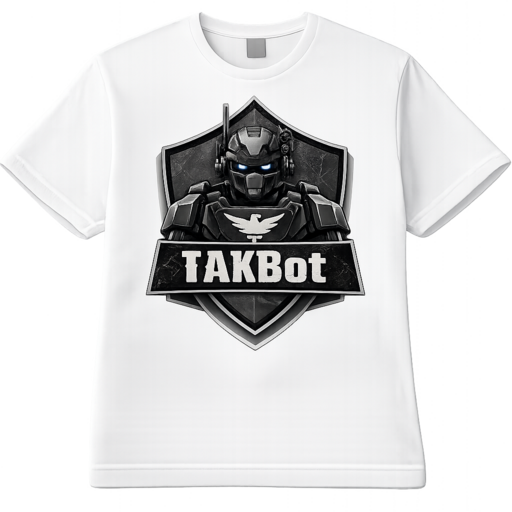
Soft cotton tee with TAKBot mark.

Structured cap for the ops floor.

Embroidered morale patch.
1. Introduction
This Privacy Notice explains how Codehaus collects, uses, discloses, and protects personal information in accordance with the Privacy Act 1988 (Cth) and the Australian Privacy Principles.
2. What personal information we collect
We may collect personal information such as your name, email address, phone number, organisation details, IP address, device or browser information, site usage information, and any details you provide through forms, email, or other enquiries.
3. How we collect information
We may collect information when you visit our website, submit a form or enquiry, request access to a demo, interact with our services, or through cookies and similar technologies used for site functionality, analytics, and security.
4. Why we collect your information
We collect and use personal information to respond to enquiries, coordinate demos or access requests, provide and improve our services, monitor site performance and security, send relevant service or product updates, and comply with legal obligations.
5. Cookies and tracking
We use cookies and similar technologies to improve user experience, understand traffic and usage patterns, and support site functionality. You can control or disable cookies through your browser settings.
6. Disclosure of personal information
We may disclose your information to service providers such as hosting, analytics, forms, or email platforms, and to professional advisers, contractors, partners, or legal and regulatory authorities where required. Some of these providers may be located outside Australia.
7. Overseas disclosure
Where personal information is disclosed overseas, we take reasonable steps to ensure recipients handle that information in a manner consistent with applicable Australian privacy obligations.
8. Data security
We take reasonable steps to protect personal information from misuse, interference, loss, unauthorised access, modification, or disclosure. However, no system or transmission method is completely secure.
9. Access and correction
You may request access to, or correction of, personal information we hold about you by contacting us.
10. Complaints
If you believe we have breached the Australian Privacy Principles, you may contact us first so we can investigate. If the issue is not resolved, you may lodge a complaint with the Office of the Australian Information Commissioner.
11. Contact us
Codehaus
Email: info@tak.bot
Website: codehaus.au
12. Updates to this notice
We may update this Privacy Notice from time to time. The latest version will be made available on this website.